AnaHD
A free analog FPV video restoration tool and DVR upscaler for Windows. It denoises and repairs analog goggle recordings and upscales them to clean HD, offline, with a model trained on my own footage.
- Type
- Desktop app
- Role
- Solo developer
- Stack
- Python, PyTorch, FFmpeg, CUDA
- App
- PySide6 (Qt)
- Output
- 1440×1080, 60 fps
- Ships as
- Windows installer
- Code
- GitHub, MIT
The problem
Analog video is how most freestyle flights get recorded, and it looks it: torn bands of static when the signal dips, colour snow, rainbow shimmer on trees and grass, rolling scan lines and grain.
General video enhancers were trained on ordinary footage, not on an analog link, so on recordings like these they tend to smear the static or invent detail that was never there. AnaHD is built for this one kind of footage, around my own gear: a BetaFPV C03 camera on a BetaFPV Matrix 2 AIO, recorded on HDZero BoxPro+ goggles. It looks best on footage like mine.
Where I fly
My clips come from a lot of different places: parks, parking lots, around buildings and through trees. Canadian winters are cold, so a lot of my flying happens from inside my car or around my house. Analog signal has a hard time getting through walls, windows and car bodies, so those flights are full of interference and breakup.
Many of my test clips come from those sessions, so AnaHD gets tested hardest on footage where the signal is struggling.
I have tested it on footage sent at both 25 mW and 400 mW of video transmitter power. My drone tops out at 400 mW, so I haven't been able to test anything stronger yet.
Approach
Before building anything, I ran blind comparisons between a classical pipeline, which aligns neighbouring frames by their motion and fuses them, and four open-source deep learning restoration models.
What I ended up with is a small restoration model I trained on my own footage, distilled from SeedVR2, a much larger diffusion-based restorer, with a loss that keeps texture. It runs alongside hand-built repair for breakup and colour loss, which the model alone doesn't fix well.
How it works
- Signal repair Bands torn by breakup are rebuilt from the frames around them, and colour snow, rainbow, scan lines and flicker are removed.
- Restoration The trained model cleans up noise and grain in each frame.
- Colour A lens colour fix, a fix for the purple tint analog puts in shadows, and an optional film-style look.
- Optional effects Stabilisation, sharpening, motion blur and SuperView. The app shows how much each one slows the render.
- Upscale and encode The 4:3 picture is upscaled at its native aspect ratio to 1440×1080 at 60 fps and encoded with NVENC.
The OSD
The flight controller's on-screen display is burned into analog video, and it gets just as noisy as the rest of the picture. By default AnaHD cleans the colour fringes off it and redraws the parts that don't change, plus timers it can verify. An experimental option goes further: it matches the Betaflight layout against the MAX7456 font and redraws the whole OSD from it, live values included.
Desktop app
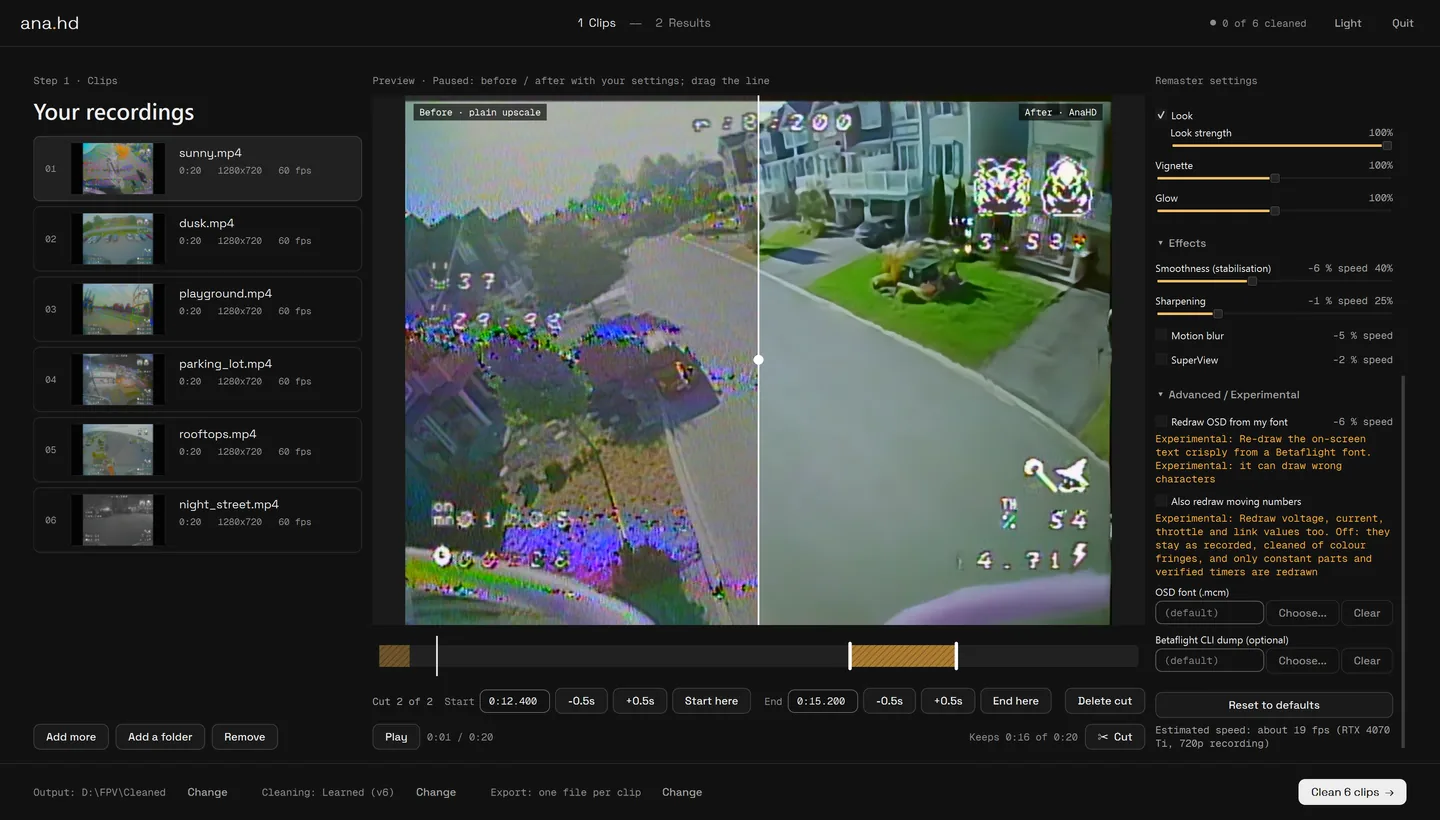
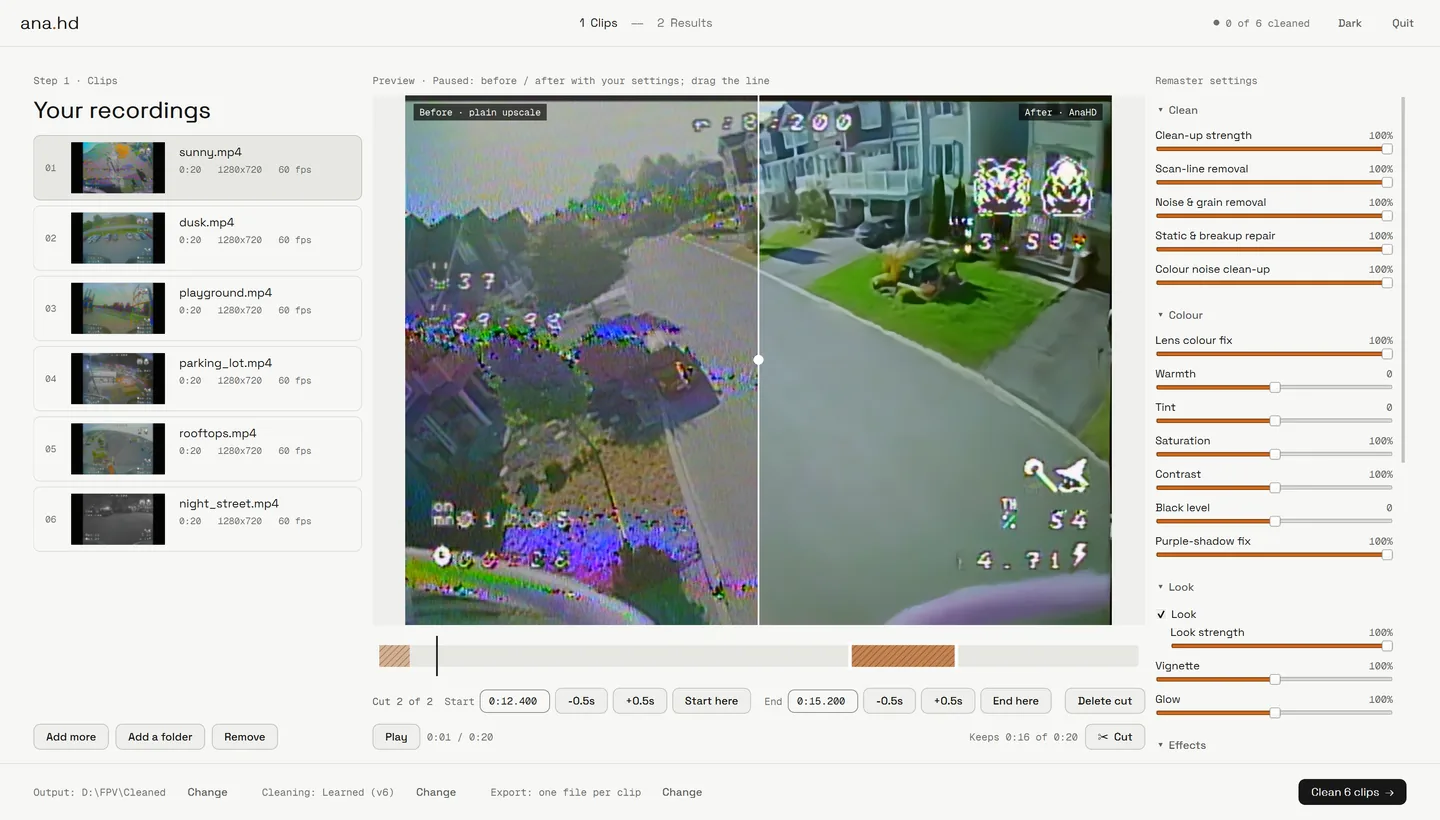
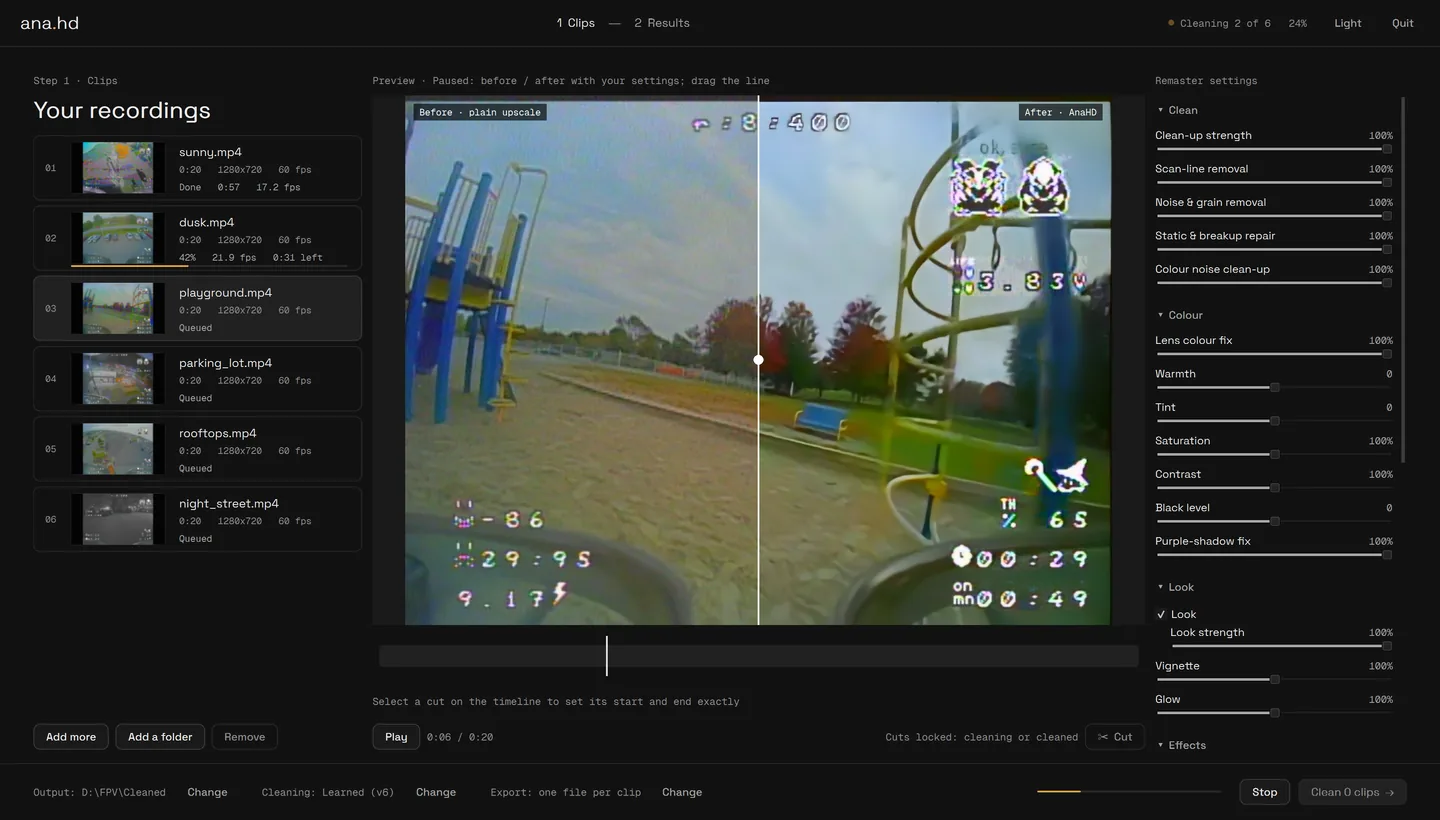
Drop in your DVR recordings, cut out the parts you don't want, preview any frame before and after with your settings, and clean a whole session in one go. It runs on your NVIDIA graphics card and nothing is uploaded. It's a PySide6 app with dark and light themes, shipped as a Windows installer.
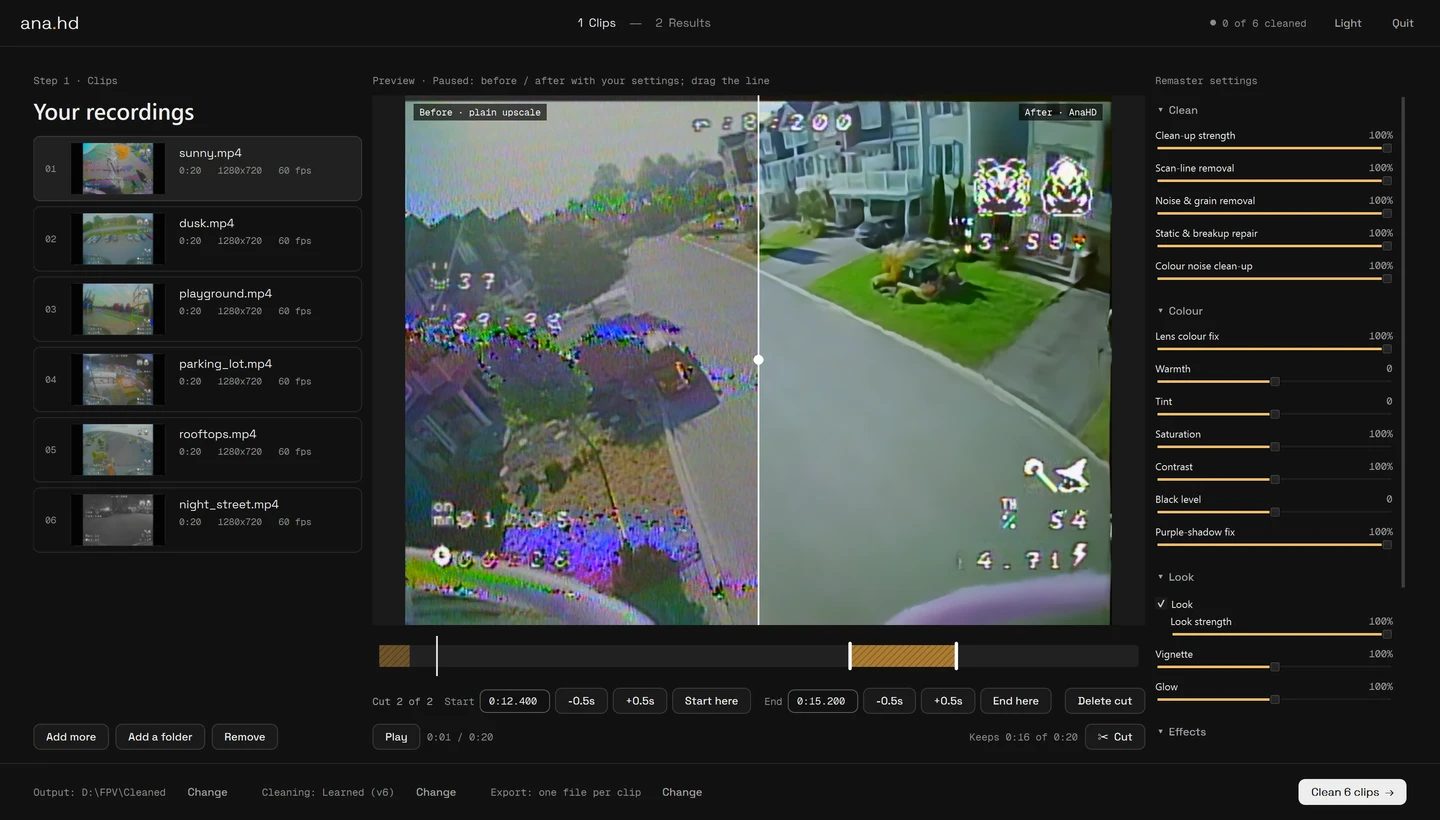
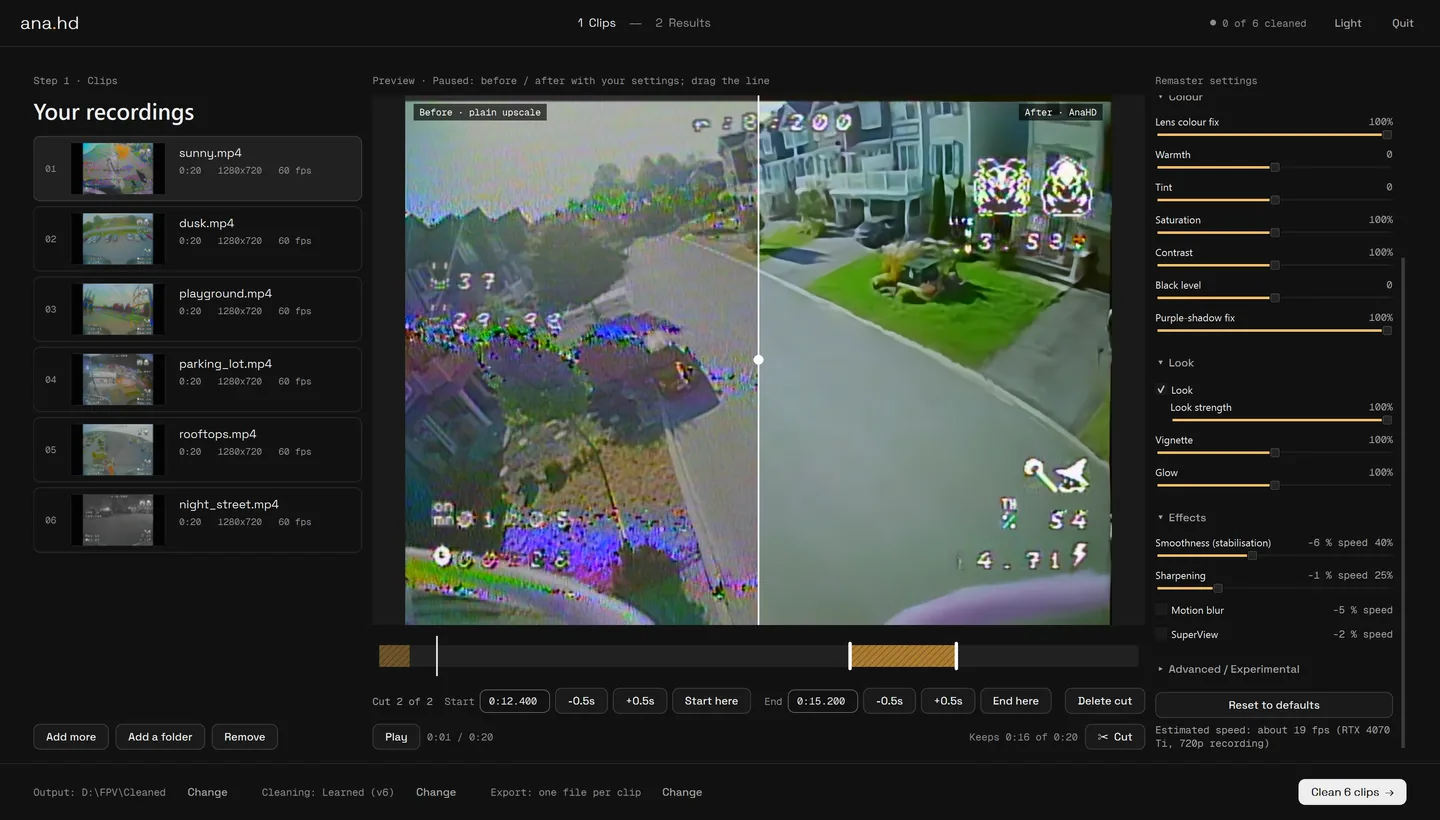
Colour, look and effects each have sliders. The effects show what they cost in render speed, and the estimate at the bottom updates as you change settings.
Cleaning runs clip by clip on the GPU, with speed and time left shown for each one.
Numbers
From my own testing. I keep a set of difficult clips and re-run them after each change to see what improved.
Download
Free and open source, for Windows. Grab AnaHD-<version>-setup.exe from the Releases page on GitHub and run it. It installs for your user only and brings everything it needs: FFmpeg, PyTorch's CUDA libraries and the model. The code and the trained model are MIT licensed.
- Windows 10 or 11, 64-bit
- An NVIDIA graphics card with a current driver. Tested on an RTX 4070 Ti, where it used about 1.2 GB of graphics memory
- About 7 GB of free memory while a clip is cleaned, and 5 GB of disk for the app
- Works best on analog footage like mine. It also has a classic cleaning mode that doesn't depend on the trained model
Download the latest release Source on GitHub Donate on Ko-fi
Questions
Common questions
What does AnaHD do to a recording?
It repairs breakup, static, colour snow, rainbow and scan lines in analog goggle DVR recordings, cleans up the picture with a model trained on real FPV footage, and upscales it to 1440×1080 at 60 fps.
Is it free?
Yes. AnaHD is free and open source under the MIT licence. There is no paid version.
Why not use a general video enhancer?
General enhancers were trained on ordinary video, not on the faults an analog link produces, so on this footage they tend to smear the static or invent detail. AnaHD's repair steps are written for those faults, and its restoration model was trained on real analog DVR recordings, so it keeps what was in the frame.
Does it run offline?
Yes. It runs on your own PC on an NVIDIA graphics card. Nothing is uploaded, and no internet connection is needed once it is installed.
What does it do to the OSD?
By default it cleans the colour fringes off the Betaflight on-screen display and redraws the parts that do not change. An experimental option matches the OSD layout against the MAX7456 font and redraws the whole thing.
Does it work with other cameras and goggles?
It was tuned on a BetaFPV C03 camera recorded on HDZero goggles, and it looks best on footage like that. It opens recordings from other analog cameras and goggle DVRs too, and its classic cleaning mode doesn't depend on the trained model.